HMIS Newsletter: August 2026


Announcements 


CalAIM Work Groups 

Housing for Health has recently put together a CalAIM working group to give CalAIM Service providers a space to discuss best practices, challenges they face, suggested changes to the current HMIS CalAIM invoicing system, and upcoming CalAIM policy or procedural changes. The group meets on a monthly cadence and is meant both for groups currently invoicing for CalAIM Services and for groups considering doing so in the future. If anyone is interested in joining the group or finding out more information please email Loren White at loren.white@santacruzcountyca.gov


Mandatory HMIS Office Hours: September 28th 

Attendance is required for all users on September 28, 2026, to prepare for the permanent shift to the new Clarity User Interface on October 1st. We will cover key navigation updates, workflow changes, and answer live questions to ensure a smooth transition.


New Clarity User Interface Transition 

Did you know we will officially retire the "Switch Interface" toggle, making the new Clarity User Interface the permanent, standard experience for all users on October 1st? Transitioning to a new interface is a journey, and we are fully committed to walking it with you.


Key Dates 📆

  • September 1, 2026 - The training site permanently switches over to the new Clarity User Interface. 
  • October 1, 2026 - The live site permanently switches over to the new Clarity User Interface.


Key Benefits  🔑

  • Accessibility: The new UI is 508-compliant and includes a new color scheme, a dark mode, and more modern design elements.
  • Mobile Optimized: The new UI is mobile-optimized and responsive, making field work much smoother.
  • Modern Architecture: The new UI includes backend improvements to allow for faster development of new features, ensuring sustainability as communities grow.
  • Icons: We're expanding our library of icons, making it easier to digest various pieces of information at a glance.
  • Workflows: We've introduced basic workflows with dynamic steps built into the system.


How to Get Ready Today    

  • Jump In Early - Don't wait until October 1st! Please take time to familiarize yourself with the new Clarity User Interface now so this shift doesn't interrupt or slow down your daily work. Finding the subtle differences now makes the transition smooth sailing.
  • Confirm Your Training Access   - Make sure you can log into the training site now so you’re ready to roll when September hits.
  • Technical Issues & Questions   - If you experience behavior that doesn't seem right, please reach out to our Help Desk at santacruz@bitfocus.com  immediately.
  • General Feedback- Please reach out to Loren White at loren.white@santacruzcountyca.gov


Resources & Training


Note: The "Reports" section - including the Report Library, Explore, and Data Analysis - will not be available in the new Clarity User Interface as of 10/1, and you will continue to be automatically re-directed to the current interface until it is complete in the new UI. However, Client reports will be available on training sites on September 1, 2026, and on the live sites on October 1, 2026.



August 2026 Feature Focus  


Clarity Human Services logo small

Updates Now Live 

  • Release of Information (ROI) Verification: when a client doesn't have an active ROI on file, the message "Client missing release of information" now displays in the Attendance Service and Reservation workflows.
  • System Emails Refresh: all automated Clarity emails (password resets, new user verification, alert notifications) now carry the new Clarity interface branding and updated Bitfocus contact details.
  • New Report — Staff Details Report [STFF-107]: lists staff members with agency access, including username, access role, email, phone number, and status — useful for staff administration and access reviews.
  • HUD CSV/XML Export Update [HUDX-111]: added Veterans Only, VAMC Filter, and VAMC Station Number(s) parameters, making it easier to isolate veteran-only data for monthly VA Repository and By-Name List reporting.
  • Streamlined Enrollment Workflow: Current Living Situation (CLS) assessments are now integrated directly into the enrollment process for all CLS-enabled programs. Users must complete the assessment to finalize enrollment.


Behind the Scenes in Data Analysis (Looker)

  • New BHSA Chronically Homeless fields are now available in Looker alongside the existing HUD fields, so California BHSA communities can report chronic homelessness under either standard from the same explore.
Want more detail on any of these? Read the full Clarity Human Services: August 2026 Feature Updates article, or watch the August 6th Feature Focus recording in the Past Bitfocus Webinars library.

Report Spotlight: [HUDX-111] HUD CSV/XML Program Data Export


This month's spotlight: [HUDX-111] HUD CSV/XML Program Data Export — updated this month (see Feature Focus above).BITFOCUS_Robust-Reporting_ICON

This export packages a community's HMIS data into the CSV/XML format required for Runaway and Homeless Youth (RHY), VA initiatives (SSVF, GPD, and the VA By-Name List), and Youth Homeless Demonstration Project (YHDP) reporting. It bundles project, client, and enrollment-level data into a single zipped set of CSV files that gets uploaded to the appropriate federal repository (the RHY-HMIS Repository, the VA HMIS Repository "SQUARES," or Sage HMIS for YHDP).

  • Where to run it: Report Library → Administrator Reports and/or HUD and Federal Partner Reports (availability depends on your agency's Report Library configuration and your access role).
  • Who can run it: Typically run by managers or staff with HUD/federal reporting access for the relevant agency — not a general end-user report.
  • What's new this month: the added Veterans Only, VAMC Filter, and VAMC Station Number(s) parameters make it easier to isolate veteran-only records for VA By-Name List reporting, without needing a separate export.
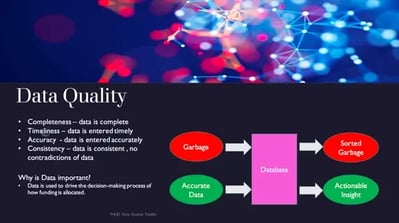
  • Before running it: consider running the [HUDX-225] HMIS Data Quality Report first to catch and resolve data issues ahead of submission. And once the export downloads, leave the zip file unopened and unmodified before uploading — opening or editing it can cause upload errors.

Data Quality Dashboard

Please see below for the agency-level data quality dashboard and report content updates. This is updated monthly.

Download the PDF file by clicking here.


Upcoming Events

calendar-icon-navy


Housing for Health - Mandatory HMIS Office Hours | September 28, 2026 | Click here to open the Zoom Registration link

Housing for Health and Bitfocus host office hours every fourth Monday of each month (in lieu of HMIS Workgroup meetings). Drop-in for as long or as short as you’d like to ask any and all questions related to the HMIS. All users are welcome. Please join us within the first 15 minutes or we will assume nobody will be joining us for Office Hours.


Bitfocus is Hiring

bitfocus Checkmark small


Join our Team!

  • Work with us at Bitfocus! Join a team committed to innovation, collaboration, and real-world impact in human services.  

Questions?

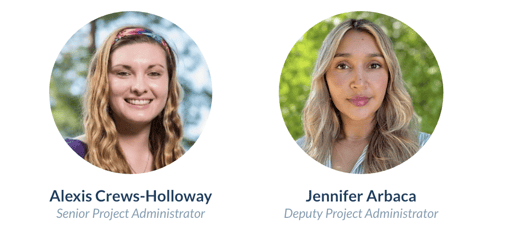
Your HMIS Administrators are happy to help.

Santa Cruz Admins- CrewsHolloway-Arbaca

Phone: 831-713-2288

Email: santacruz@bitfocus.com